How To Find The Keywords Your Local Customers Are Actually Searching
One of the common disconnects I see between local businesses and the customers trying to find them: the business describes what it does in industry language, and customers search for it in plain language. A law firm calls itself a “family law practice.” Customers search “divorce attorney Albuquerque.” An HVAC company calls itself a “climate control solutions provider.” Customers search “AC repair near me.”
The gap matters because Google is matching your content against what people actually type. If your website, GBP, and service listings are written the way you think about your business rather than the way customers search for it, you’re optimizing for searches that aren’t happening.
Keyword research for a local business is mostly about closing that gap. And most of it can be done without paying for anything.
Start with Google itself
The simplest keyword research tool available is the Google search bar. Type your primary service followed by your city name and watch what the autocomplete suggests. Those suggestions are generated from real search behavior, meaning that Google is showing you what actual people are actually typing.
“Plumber Las Cruces” might autocomplete to “plumber Las Cruces NM,” “plumber Las Cruces emergency,” “plumber Las Cruces cheap,” and “plumber Las Cruces reviews.” Each of those variations tells you something about how customers are searching and what they care about when they do.
Scroll to the bottom of the results page after you search and look at the “People also search for” and “Related searches” sections. These give you additional variations you might not have thought of and often surface the way customers frame their need rather than the way you frame your service.
Do this for every service you offer, not just your primary one.
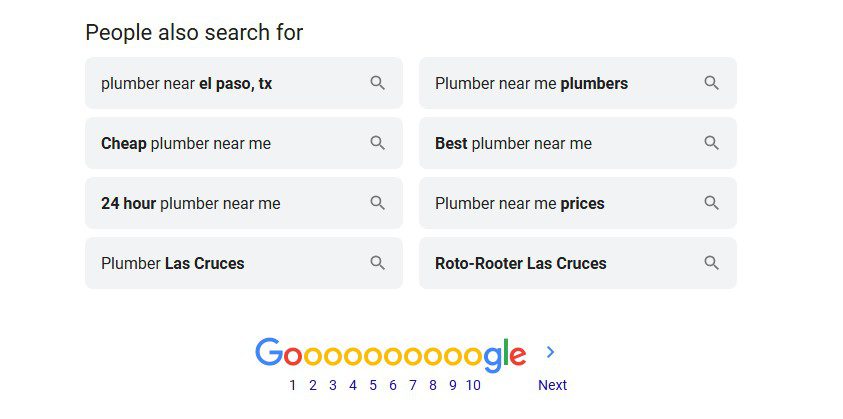
The “People Also Search For” feature
The “near me” reality
Think with Google has documented significant growth in searches using “near me” and time-sensitive modifiers — including 900%+ growth in mobile searches for terms like “[service/product] near me today/tonight” (source).
What this means practically: a substantial number of people searching for local services aren’t typing a city name at all. They’re typing “plumber near me” or “HVAC repair near me” and letting Google figure out the geography. Google handles this using the searcher’s location, which means you don’t need to stuff “near me” into your content, but you do need to make sure your location signals are clear everywhere Google looks: your GBP, your website, and your citations.
Google Search Console
If your website has been live for a few months and you’ve connected it to Google Search Console (search.google.com/search-console), you have access to something more valuable than any keyword research tool: data on what people are already searching when your site shows up.
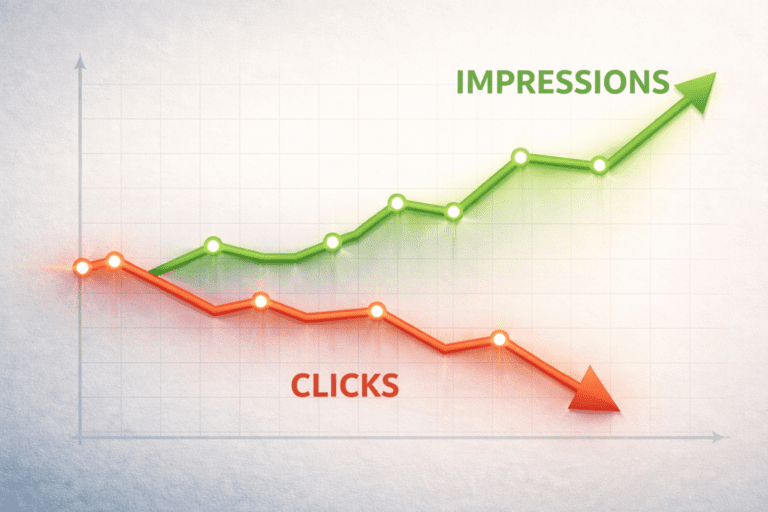
The Performance report in Search Console shows you the exact queries triggering impressions for your pages, how many clicks each gets, and what position you’re ranking in. This is real search behavior from real people who found — or almost found — you. If you’re showing up for searches you didn’t expect, that’s an opportunity. If you’re showing up for something relevant but getting almost no clicks, that’s a ranking problem worth addressing.
For a newer site with limited data, this report won’t tell you much yet. But it’s worth setting up now and checking in three to six months once Google has indexed and started showing your content.
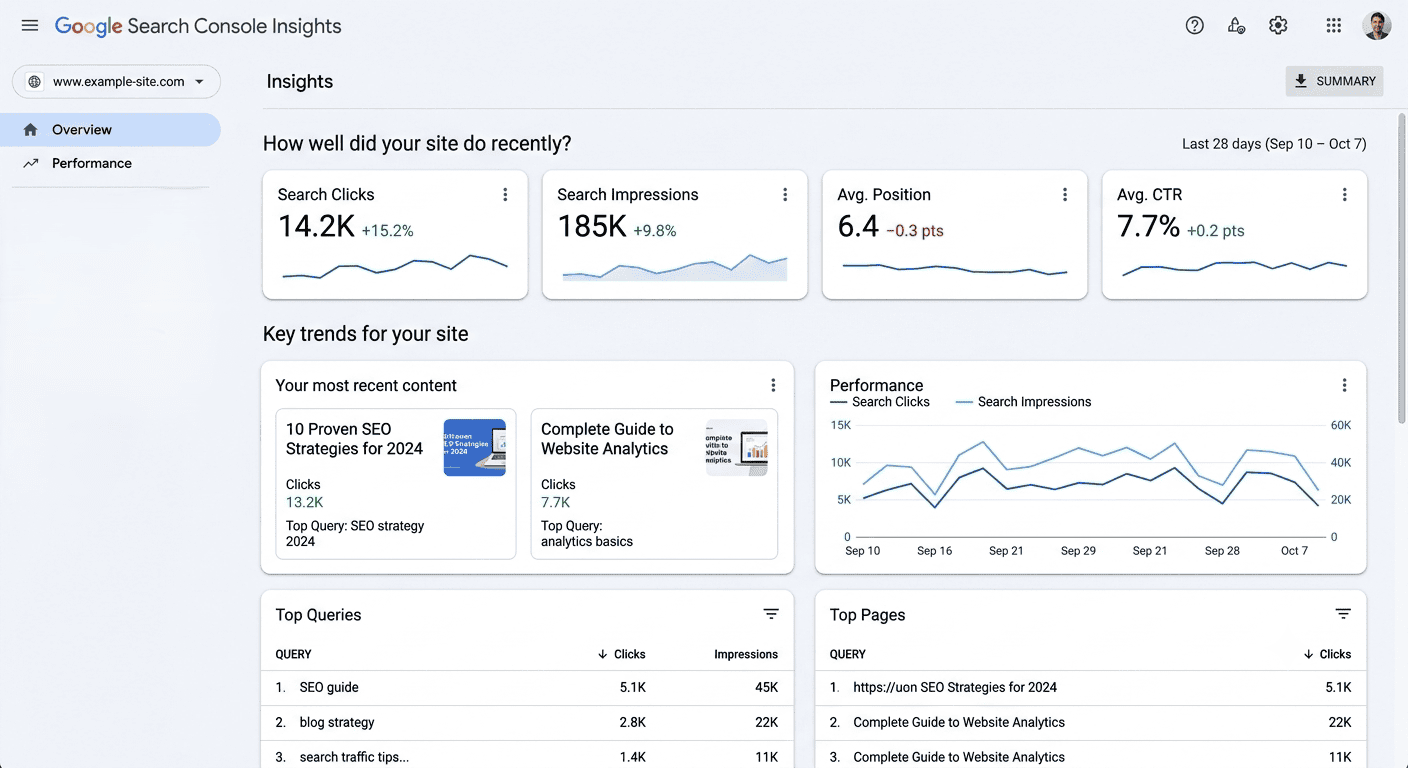
Sample Google Search Console Insights Report
GBP search terms
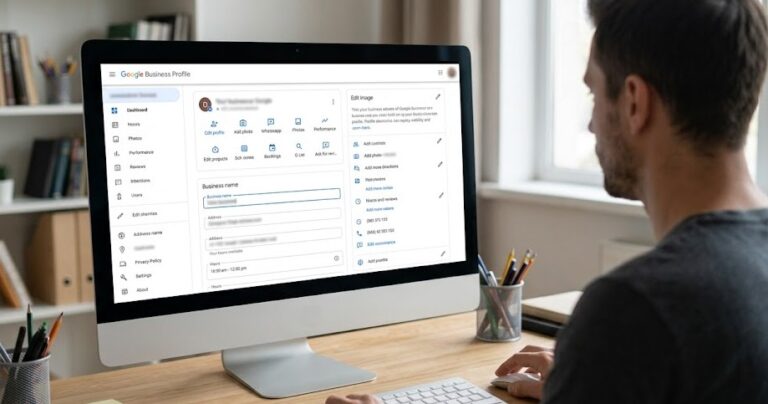
Your Google Business Profile also surfaces keyword data. In the Insights section of your GBP dashboard, under “How customers search for your business,” you can see the search terms people used to find your profile. This data is specific to your business and reflects actual local search behavior in your market.
Pay attention to the terms showing up there. If you’re seeing searches for a service you offer but haven’t listed explicitly in your profile, add it. If you’re seeing searches for something adjacent to your business that you don’t currently offer, that’s competitive intelligence.
Google Keyword Planner
Google Keyword Planner is free to access with a Google Ads account, which is also free to create even if you’re not running ads. Enter your primary services and your location and it will return search volume estimates along with related terms you might not have considered.
The volume numbers are given in ranges rather than exact figures, which limits their precision. The more useful feature for a local business is the “keyword suggestions” output, which surfaces variations and related terms organized by relevance, and lets you filter by location so you’re seeing data specific to your market.
What to do with what you find
The point of keyword research is to inform your content, not to produce a list you file away. Once you know the specific phrases your local customers are searching, those phrases should appear naturally in your service descriptions on your GBP, on your website service pages, and in your content.
“Naturally” is worth emphasizing. Writing “plumber Las Cruces NM emergency plumber Las Cruces water heater repair Las Cruces” into a paragraph isn’t useful to a human reader and Google’s algorithm is sophisticated enough to recognize keyword stuffing for what it is. The goal is to write content that answers the questions people are actually asking, in the language they use to ask them, in a way that reads like a real person wrote it.
What to do this week
Open a Google tab and search for your primary service plus your city name. Note the autocomplete suggestions, look at the related searches at the bottom of the results page, and write down every variation that applies to what you actually offer. Then open your GBP Insights and check what search terms are showing up there.
You’re looking for gaps between how you’ve described your services and how customers are actually searching. Even one or two adjustments to your GBP service listings or website copy based on what you find can meaningfully affect which searches you show up for.


Not sure where your local search presence stands? Our Free Visibility Audit will show you exactly where your site stands and what it might be costing you. Fill out the form below to get started.
Let’s Talk About Your Business
Fill out the form below and our team will reach out to schedule your free visibility audit — a no-pressure conversation about where your business stands online and where it could be.